Our first step is to create an object in ColdFusion that we can use to communicate with the Solr server:
<cfset the_server = createObject("java", "org.apache.solr.client.solrj.impl.CommonsHttpSolrServer").init("http://localhost:8983/solr/arts_solr") />
One very nice feature of Solr is that you can use its query syntax to delete records. For example, if you wanted to delete all records with the word “cancer” in the title, you would do the following:
<cfset the_server.deleteByQuery( "title:cancer" ) />
However, in this case we want to delete everything, so we’ll use wildcards:
<cfset the_server.deleteByQuery( "*:*" ) /> <!--- Delete everything --->
Now that the collection has been completely purged, we can add some records. Let’s grab some data from a query:
<cfquery name="get_all_articles" datasource="#the_datasource#">
    SELECT id, title, description, pubdate, journal_name, author_name, num_reads
      FROM articles
</cfquery>
We’re going to index all of the articles we currently have in our database. Here we’ll create an array to store the results of the query.
<cfset the_articles = arrayNew(1) />
Let’s put the results of the query into the array:
<cfloop query="get_all_articles">
    <!--- Strip out HTML from the description --->
    <cfset the_summary = REReplace(description, "<[^>]+>", "", "all") />
    <cfset temp_article = createObject("java", "org.apache.solr.common.SolrInputDocument") />
    <cfset temp_article.addField("uid", id) />
    <cfset temp_article.addField("key", id) />
    <cfset temp_article.addField("size", len(description)) />
    <cfset temp_article.addField("summary", the_summary) />
    <cfset temp_article.addField("title", title) />
    <cfset temp_article.addField("description", description) />
    <cfset temp_article.addField("contents", description & " " & title) />
    <cfset temp_article.addField("pubdate", pubdate) />
    <cfset temp_article.addField("journal_name", journal_name) />
    <cfset temp_article.addField("author_name", author_name) />
    <cfset temp_article.addField("num_reads", num_reads) />
    <cfset temp_article.addField("modified", now()) />
    <cfset arrayAppend(the_articles, temp_article) />
</cfloop>
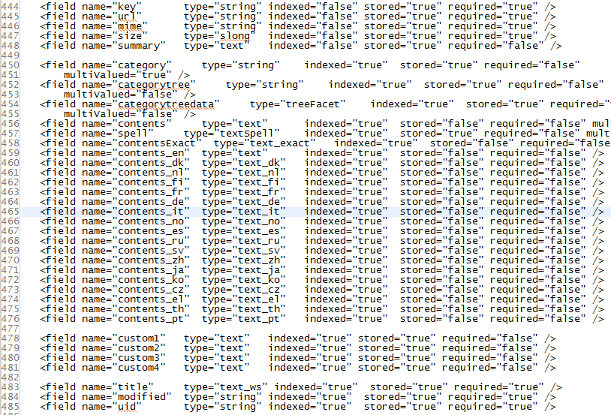
I am assuming that all of the above fields will already have been defined in the collection’s schema.xml file. The rest is easy:
<cfset the_server.add(the_articles) /> <!--- Add the articles to the index --->
<cfset the_server.commit() /> <!--- Commit the changes --->
<cfset the_server.optimize() /> <!--- Optimize the index --->
And that is really all there is to it, at least for indexes where you don’t expect to have hundreds of thousands of records. If you have many records, you would want to segment the indexing OR partition the collection horizontally (so, for example, you could have one collection for articles from 2011, another for articles from 2010, etc.). Searching on more than one collection at a time is not much more difficult than searching on a single collection, but it is fodder for a future post.